Table of Contents
Linux - Cài Conda
wget https://repo.anaconda.com/miniconda/Miniconda3-latest-Linux-x86_64.sh
chmod +x Miniconda3-latest-Linux-x86_64.sh
./Miniconda3-latest-Linux-x86_64.sh
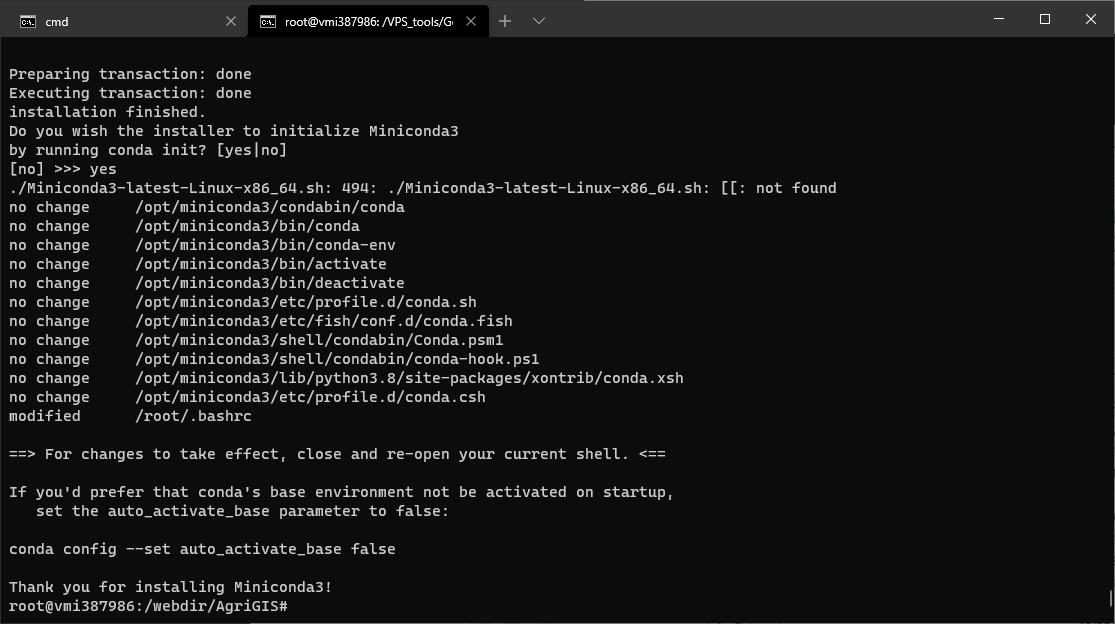
no change     /opt/miniconda3/condabin/conda
no change     /opt/miniconda3/bin/conda
no change     /opt/miniconda3/bin/conda-env
no change     /opt/miniconda3/bin/activate
no change     /opt/miniconda3/bin/deactivate
no change     /opt/miniconda3/etc/profile.d/conda.sh
no change     /opt/miniconda3/etc/fish/conf.d/conda.fish
no change     /opt/miniconda3/shell/condabin/Conda.psm1
no change     /opt/miniconda3/shell/condabin/conda-hook.ps1
no change     /opt/miniconda3/lib/python3.8/site-packages/xontrib/conda.xsh
no change     /opt/miniconda3/etc/profile.d/conda.csh
modified      /root/.bashrc

==> For changes to take effect, close and re-open your current shell. <==

If you'd prefer that conda's base environment not be activated on startup,
   set the auto_activate_base parameter to false:

conda config --set auto_activate_base false

Thank you for installing Miniconda3!
https://docs.conda.io/en/latest/miniconda.html#linux-installers
Xong đến bước này bạn cần tắt
terminalđi rồi bật lại!
- Update conda:
conda update conda - Version:
conda --version - Tạo môi trường ảo:
conda create --name {Tên môi trường} python={python version}conda create --name snakes python=3.5
- Create the environment from the environment.yml file
conda env create --prefix ./env --file environment.yml
- Update the environment from the environment.yml file
conda env update --prefix ./env --file environment.yml
- How to specify new environment location for conda create
conda create -p ./miniconda_envconda create --prefix ./miniconda_env
- Active môi trường:
conda activate {Tên môi trường}conda activate ./miniconda_env
- Check môi trường:
conda info --envsconda env list
- Check python version:
python --version - Cài package:
conda install beautifulsoup4 - Check list installed package:
conda list - Save all the info about packages to your folder
conda env export > environment.yml
- Delete an environment and everything in it
conda env remove --name bio-envconda remove --all --prefix "C:\Users\Ludvig\Anaconda3\envs\2019 Proteinanalys"